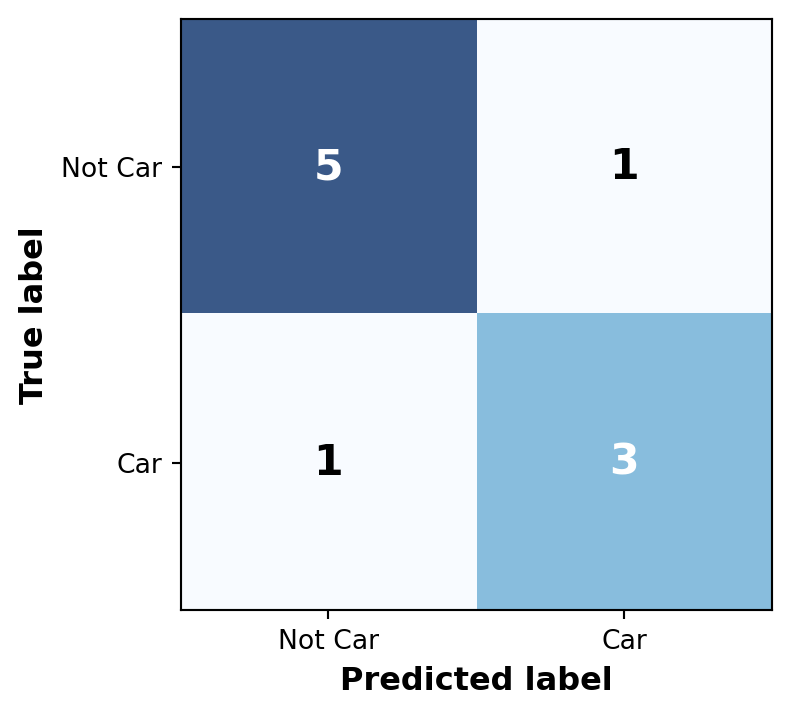
Accuracy : 0.80
Precision: 0.75
Recall : 0.75
Evaluation & Deployment
2026-03-13
How good is your model?
When evaluating models, every prediction falls into one of four categories. Let’s use detecting a “Car” as an example:

Accuracy : 0.80
Precision: 0.75
Recall : 0.75
Matrix Layout:
The most intuitive metric is Accuracy (Total Correct / Total Predictions). But is it enough?
Imagine a dataset with 1 “Car” and 99 “Not Car” (background) images. If a model simply predicts “Not Car” for everything:
\[Accuracy = \frac{0 + 99}{100} = 99\%\]
It achieved 99% Accuracy despite being completely useless at finding cars!
This is the Class Imbalance Problem, common in object detection where most of an image is empty background.
To solve the Class Imbalance Problem, we focus on metrics that ignore True Negatives:
The Confidence Threshold dictates how “sure” the model must be to output a prediction. Adjusting it directly affects your balance of errors:
0.80): The model is strict.
0.20): The model is loose.
Step 1: Gather We take every “Car” prediction the model made across the whole test set.
Step 2: Sort We sort them from highest confidence (e.g., \(0.99\)) to lowest (e.g., \(0.10\)).
Step 3: Calculate We calculate Precision and Recall at every single step of that sorted list.
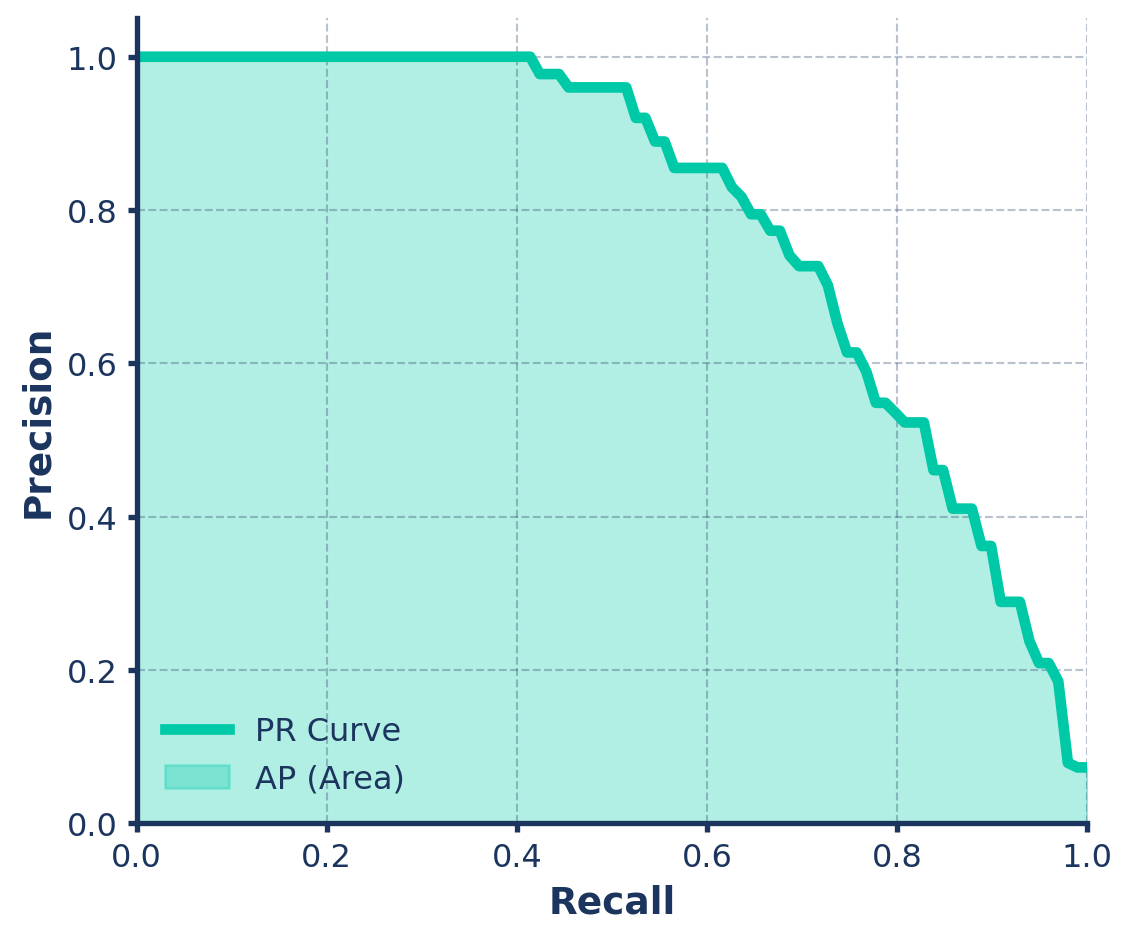
Average Precision (AP) is simply the area under this Precision-Recall (PR) curve!
How perfectly does the predicted bounding box overlap the ground truth box?
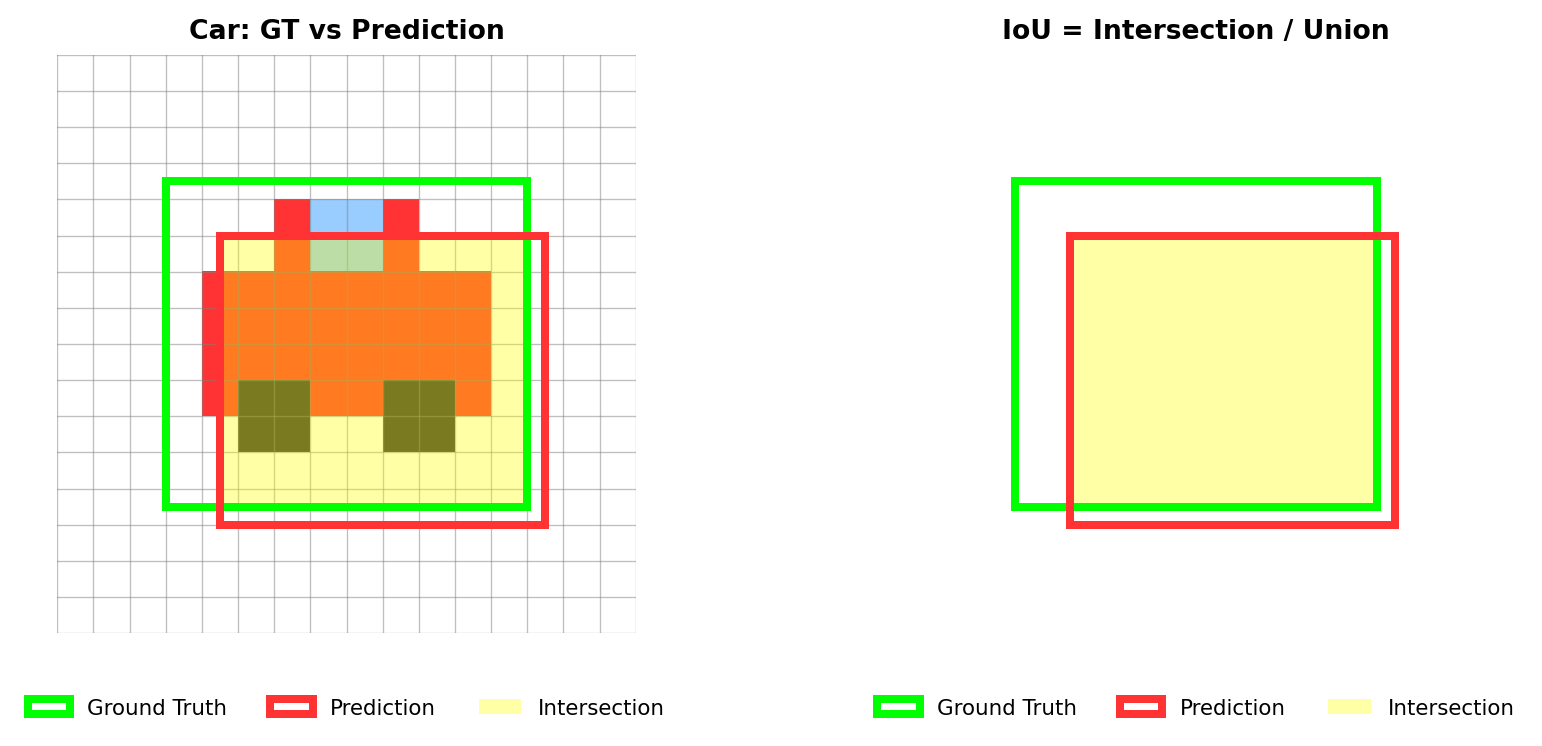
Rule of Thumb: A prediction is typically considered a “True Positive” (correct) if the IoU is > 0.50.
A prediction must be accurate in location (\(IoU \ge 0.5\)) to count as a True Positive (TP).
What happens if a prediction misses (\(IoU < 0.5\))?
Important
It hurts your evaluation twice!
The Car Example: You draw a bad box for a car (IoU < 0.5).
A common question is: “What if the model predicts multiple boxes for the exact same object?”
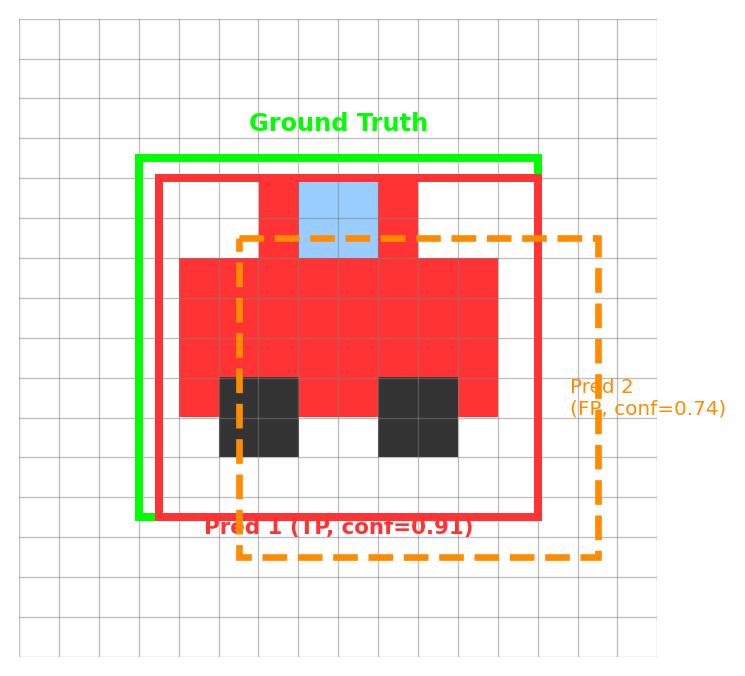
Rule: One Ground Truth = Only One TP

Once we have the AP for every class (Cars, Pedestrians, Trees, etc.), we simply take the arithmetic mean.
\[mAP = \frac{AP_{cars} + AP_{pedestrians} + AP_{trees} + ...}{Total\ Number\ of\ Classes}\]
We use the val mode to evaluate a trained model. YOLO automatically generates graphs (confusion_matrix.png, PR_curve.png) in your runs/detect/val folder.
Docs Reference: Model Evaluation Insights
Taking it to production.
A PyTorch .pt file is great for research, but slow in production. Convert to optimized formats using the export mode!
Docs Reference: Export
You don’t need complex deployment code to use your exported models. The Ultralytics API loads them just like a standard PyTorch .pt file!
Docs Reference: Predict with Exported Models
Course Wrap-up
You have learned:
Your Turn!
Apply these foundational skills to solve real-world problems. Whether building smart security cameras, medical imaging tools, or autonomous vehicles, the core principles remain the same.
Thank You!
Any questions?