Tasks & Inference
2026-03-13
Start using AI immediately without training!
Interacting with Ultralytics is simple:
yolo TASK MODE ARGS
detect, segment, classify, pose, obb)predict, train, val, export, track, benchmark)model=yolo26n.pt or source="image.jpg"Models pre-trained on the COCO dataset recognize 80 common classes right out of the box. Using .pt models means we utilize these pre-learned weights without training!
Model Naming Convention (e.g., yolo26n-seg.pt, yolo11x-cls.pt):
yolo26, yolo11n (Nano, fastest) up to x (Extra Large, most accurate)-seg (Segmentation), -cls (Classification), -pose (Pose Estimation)Let’s see the tasks in action using the predict mode.

Model Output (Probabilities):
top1 (0): The most likely class ID.top1conf (0.95): Confidence score of the top class.probs: Array of probabilities for all possible classes.Multi-Label Classification Since probs evaluates every class, we can predict multiple labels for a single image by applying a confidence threshold (e.g., keeping all classes with prob > 0.50) instead of just taking the top1 prediction.
Identify what the entire image contains.
# Python Equivalent
from ultralytics import YOLO
model = YOLO("yolo26n-cls.pt")
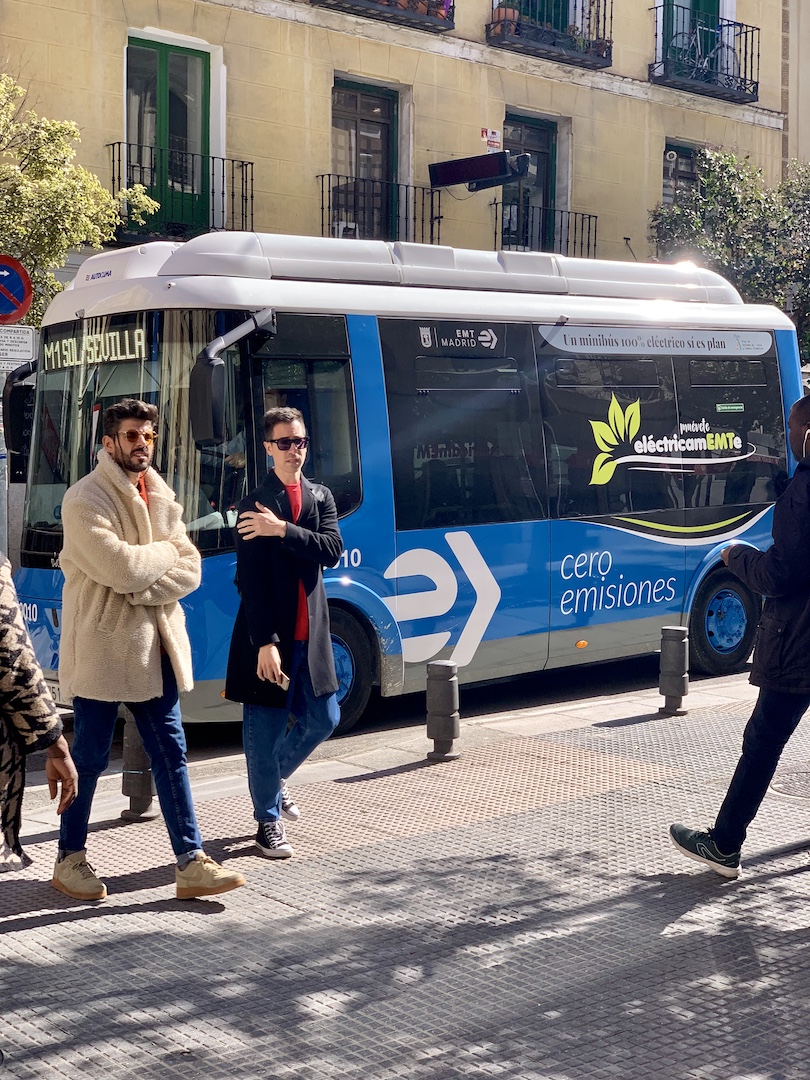
results = model.predict(source="https://ultralytics.com/images/bus.jpg")
# Access Output Format
probs = results[0].probs
print(f"Top-1 Class: {probs.top1}") # Index of the most likely class
print(f"Top-1 Confidence: {probs.top1conf}") # Confidence score
print(f"All Probabilities: {probs.data}") # Tensor of all class probabilitiesDocs Reference: Classification

Model Output:
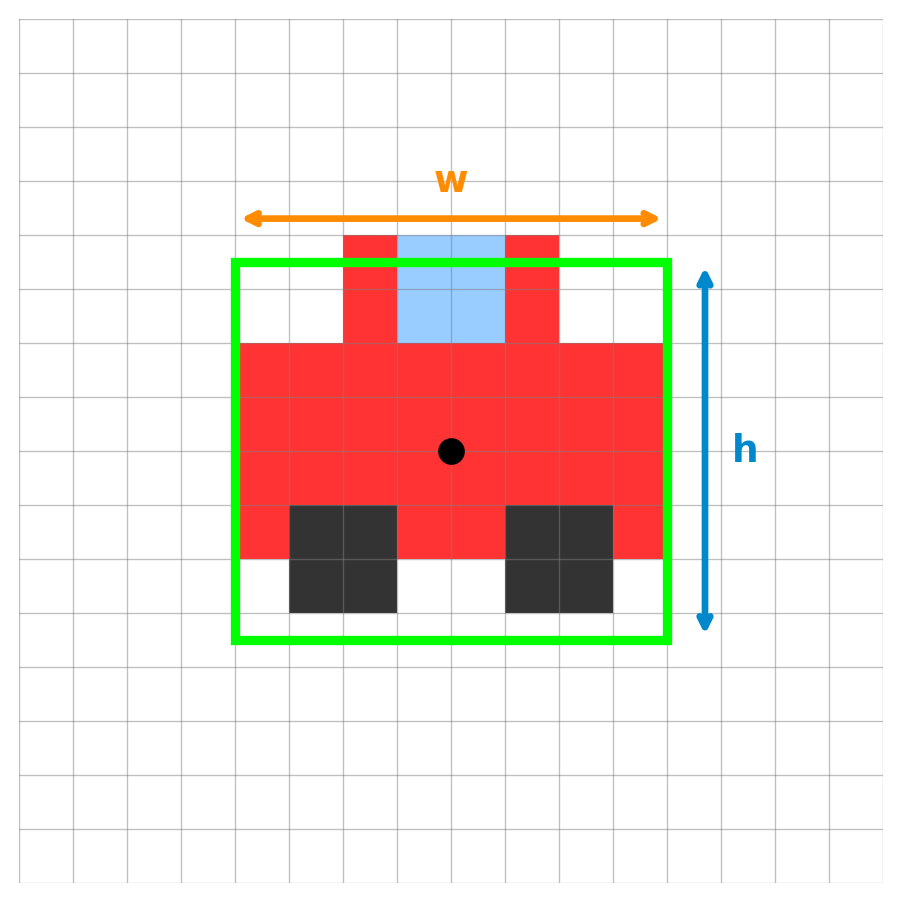
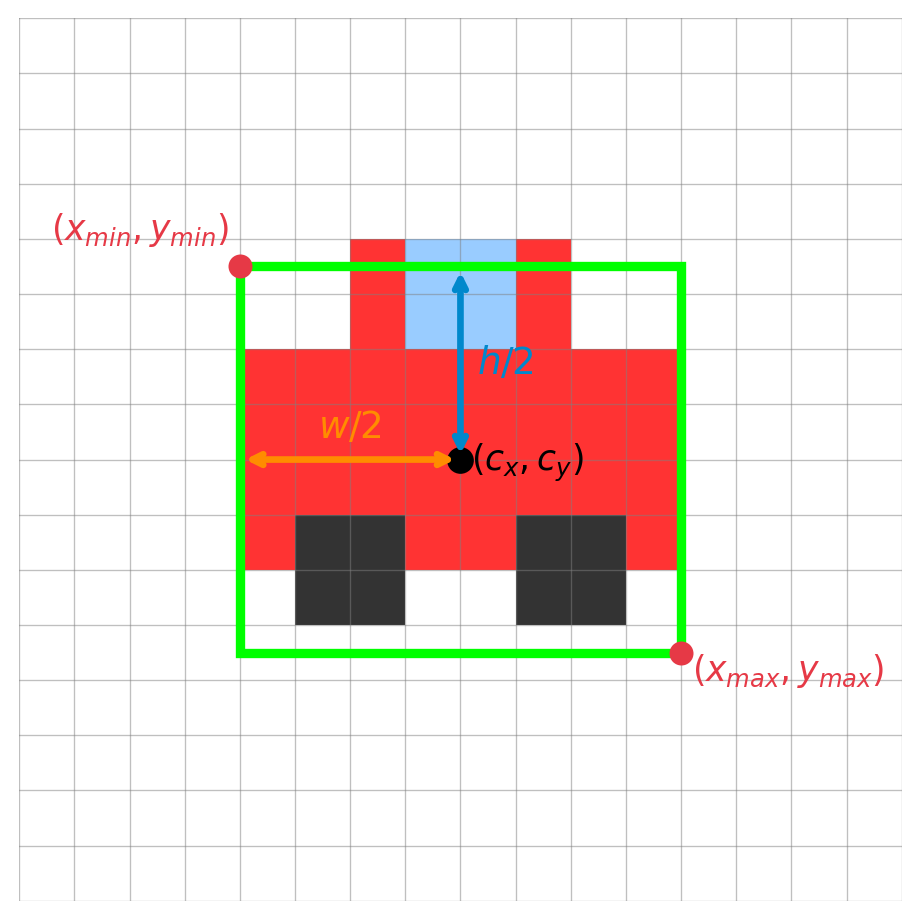
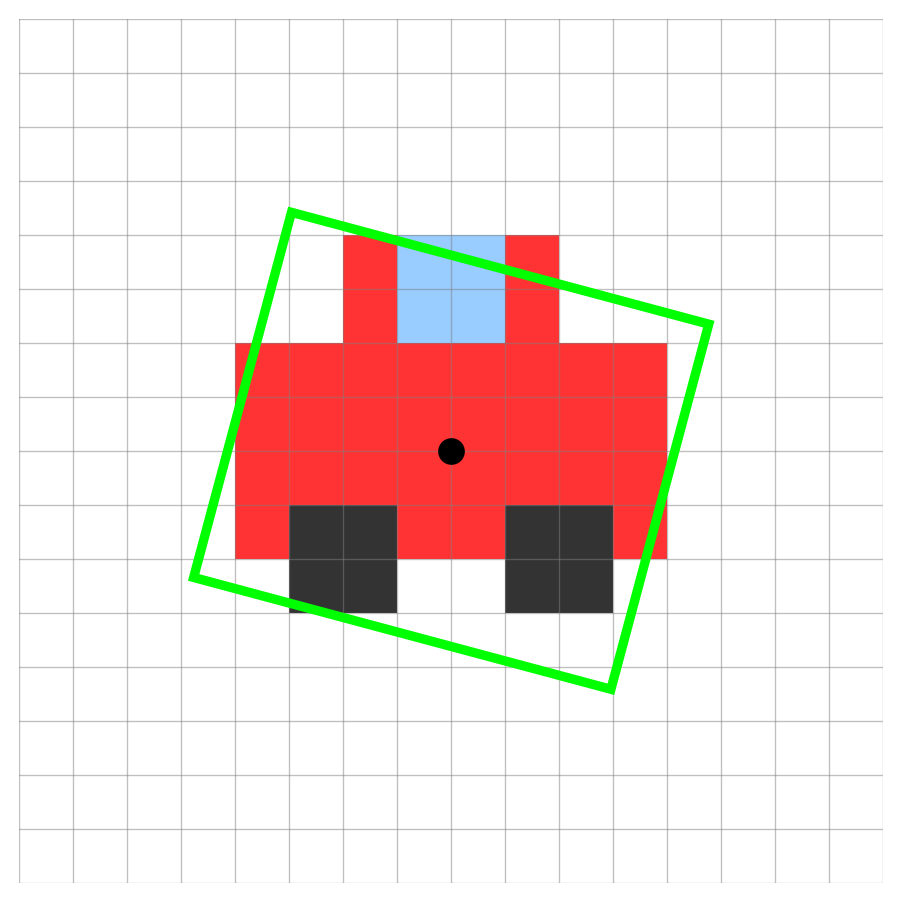
cx, cy (7.5, 7.5): The center coordinates.w (8.0) & h (7.0): The box width and height.conf (0.85): The confidence score.cls (0): The class ID.Filtering Predictions We use a Confidence Threshold to automatically drop weak predictions (e.g., ignoring any box with conf < 0.50).

Mapping to \((x_{min}, y_{min}, x_{max}, y_{max})\):
\[ \begin{align*} x_{min} &= cx - \frac{w}{2} = 7.5 - 4.0 = 3.5 \\ y_{min} &= cy - \frac{h}{2} = 7.5 - 3.5 = 4.0 \\ x_{max} &= cx + \frac{w}{2} = 7.5 + 4.0 = 11.5 \\ y_{max} &= cy + \frac{h}{2} = 7.5 + 3.5 = 11.0 \end{align*} \]
Rarely does an image contain exactly one object!
[cx, cy, w, h, conf, cls] is stacked \(N\) times.Wait, how does it know the class? Behind the scenes, each of those \(N\) bounding boxes also predicted probabilities for ALL 80 classes, just like Image Classification! The final cls ID shown in the output is simply the class that scored the highest probability for that specific box.
Find and localize objects using bounding boxes.
Docs Reference: Detection
Why not just train the model on absolute pixel values like w = 8.0?

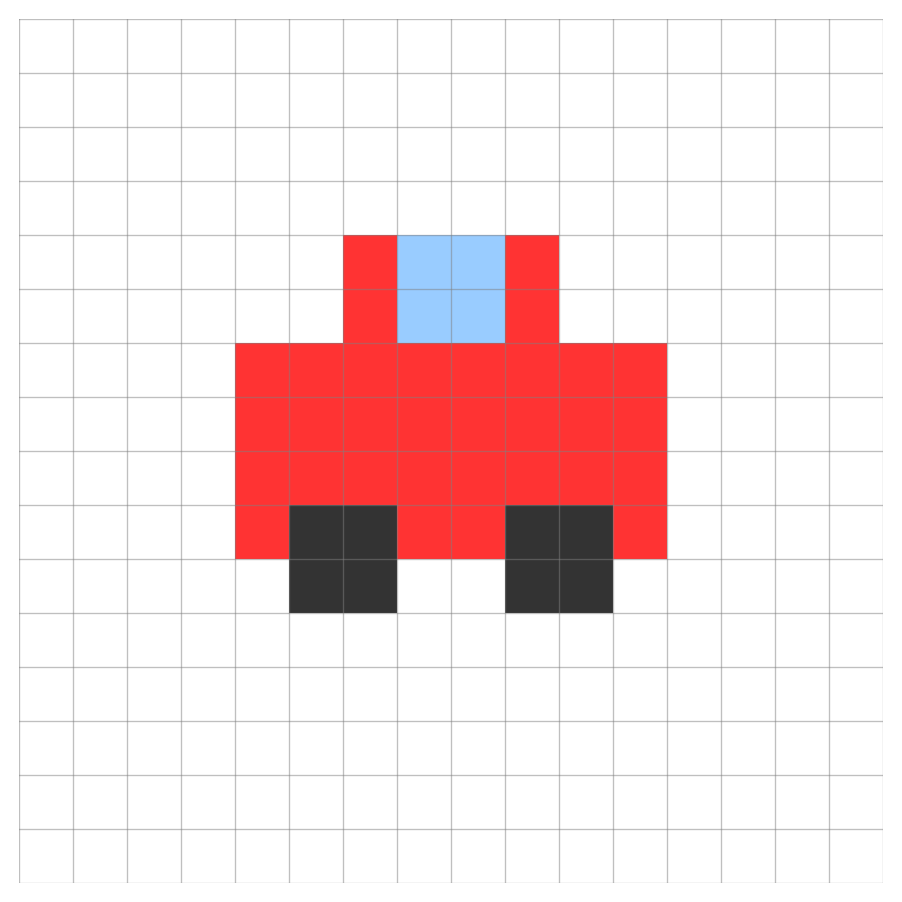
800 pixels wide in a 4K image might only be 200 pixels wide in a 1080p image.Instead of pixels, we teach the model using fractions of the image size (0.0 to 1.0).
A car that takes up half the image width is always \(w = 0.5\), regardless of whether the image is 4K or 1080p!
Training vs. Predicting You MUST provide normalized coordinates (0.0 to 1.0) when training the model. However, when you use model.predict(), the Ultralytics Python API conveniently un-normalizes them back into standard absolute pixels (like boxes.xyxy) for immediate use!

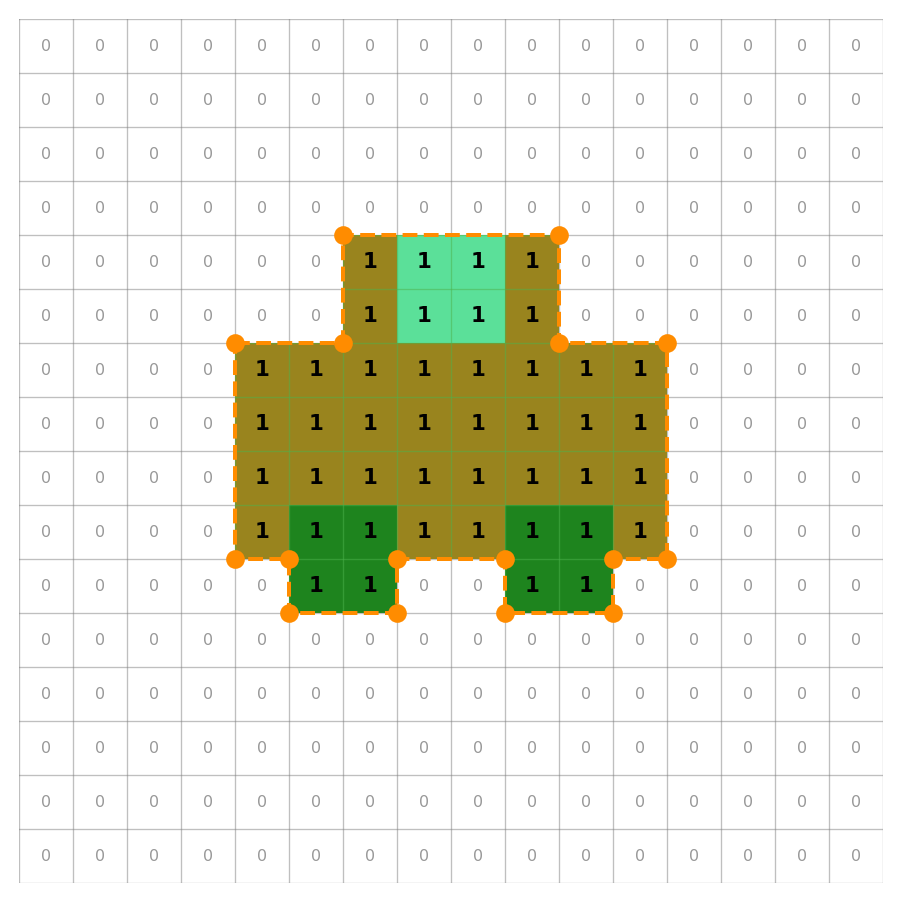
Model Output (Mask / Polygon):
1 = object, 0 = background).conf (0.89): Confidence score.cls (0): Class ID.Outline the exact shape (pixels) of each object instance.
# Python Equivalent
from ultralytics import YOLO
model = YOLO("yolo26n-seg.pt")
results = model.predict(source="https://ultralytics.com/images/bus.jpg")
# Access Output Shape and Data
masks = results[0].masks
print(f"Masks shape: {masks.data.shape}") # (N, H, W) -> N masks of HxW size
print(masks.xy) # Polygon coordinatesDocs Reference: Segmentation

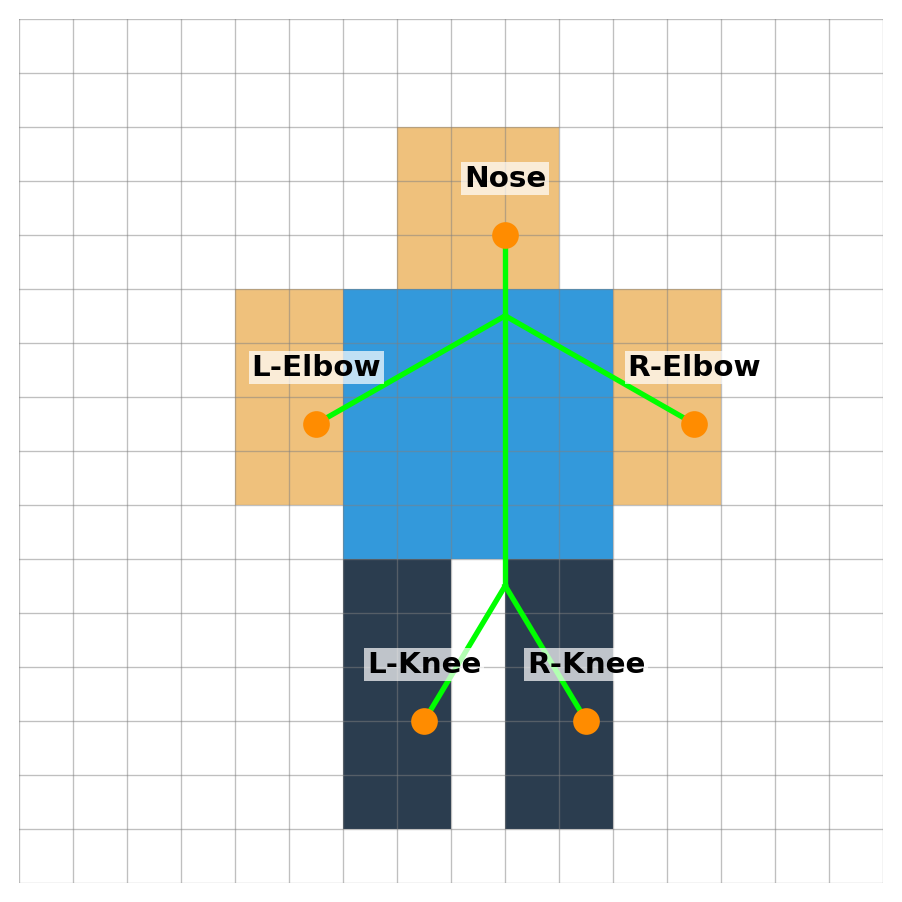
Model Output (Keypoints):
x, y: Coordinate pair for each predefined keypoint.visibility: Whether the keypoint is visible (i.e., not occluded).kp_conf (per keypoint): Confidence score for each keypoint’s location.conf (0.92): Overall person detection confidence score.cls (0): Class ID (always 0 = person for pose models).Estimate human body keypoints (elbows, knees).
# Python Equivalent
from ultralytics import YOLO
model = YOLO("yolo26n-pose.pt")
results = model.predict(source="https://ultralytics.com/images/bus.jpg")
# Access Output Shape and Data
keypoints = results[0].keypoints
print(f"Keypoints shape: {keypoints.data.shape}") # (N, 17, 3) -> N persons, 17 keypoints, (x, y, conf)
print(keypoints.xy) # Keypoint coordinatesDocs Reference: Pose

Model Output (Oriented Box):
cx, cy: The center coordinates.w & h: The box width and height.angle: The rotation angle of the box.conf: The confidence score.cls: The class ID.Detect objects with oriented bounding boxes (useful for aerial/satellite imagery or rotated objects).
from ultralytics import YOLO
model = YOLO("yolo11n-obb.pt")
results = model.predict(source="https://ultralytics.com/images/bus.jpg")
# Access Output Shape and Data
obb = results[0].obb
print(f"OBB shape: {obb.data.shape}") # (N, 7) -> N boxes: cx, cy, w, h, angle, conf, cls
print(obb.xywhr) # Center x, y, width, height, rotation angleDocs Reference: OBB
Assign distinct IDs to objects and track them continuously across video frames!
from ultralytics import YOLO
model = YOLO("yolo26n.pt")
# Use track() with stream=True for memory-efficient video processing
results = model.track(source="path/to/video.mp4", stream=True)
# Iterate through the video frames
for result in results:
boxes = result.boxes
if boxes.id is not None:
# Extract IDs as a list of integers
ids = boxes.id.int().tolist()
print(f"Tracking IDs: {ids}") # e.g., [1, 2]Docs Reference: Tracking
Process multiple sources or directories efficiently!
from ultralytics import YOLO
# Load your model
model = YOLO("yolo26n.pt")
# Option 1: A list of specific sources
sources = [
"https://ultralytics.com/images/bus.jpg",
"path/to/local/image.jpg",
"another_image.png"
]
results = model.predict(source=sources)
# Option 2: An entire directory
# results = model.predict(source="path/to/my_images_folder/")Process the batch results or use a memory-efficient stream.
Stream/Generator: For very large datasets, you can use stream=True in the predict call:
Wrapping Up Day 1
Next up: Real World Use Cases & Solutions
Thank You!
Any questions?